Composite vs Claude Chrome: Which AI Tool Wins in April 2026?
If you're stuck between Composite and Claude Chrome, the choice looks straightforward until you get into how they actually work. Claude anchors a sidebar to your browser and waits for you to describe tasks. Composite monitors what you're doing, suggests workflows before you ask, and runs up to five threads at once without taking up screen space. One processes everything through remote servers with a documented prompt injection risk. The other executes locally in your browser with zero data retention from AI subvendors. Here's what separates them when you're trying to automate real work.
TLDR:
- Claude in Chrome uses a single AI model and persistent sidebar that shrinks your workspace by 25-30%
- Composite routes tasks through the best-fit model automatically and appears as a lightweight spotlight overlay
- Composite proactively detects repetitive patterns and suggests automations before you ask
- Local execution in Composite eliminates cloud-based prompt injection risks present in server-side tools
- Composite works across Chrome, Edge, and Brave with SOC-2 Type 2 compliance and zero AI subvendor data retention
What is Claude in Chrome?
Claude in Chrome is Anthropic's browser extension that lets Claude read pages, click elements, and control websites on your behalf. It lives in Chrome's side panel, sitting alongside whatever you're browsing instead of replacing the browser itself.
To access the automation features, you need a paid Claude subscription, meaning Pro, Max, Team, or Enterprise tier. Free users don't get browser control capabilities, so the barrier to entry is real before you've even opened a tab.
The workflow is reactive by nature. You open the side panel, describe what you want, and Claude acts on the current page or moves through pages to complete the task.
A Single-Model Setup
Claude in Chrome is tied exclusively to Anthropic's Claude models, with no flexibility to route tasks through faster or more specialized models depending on what the job actually needs. You get one model, one interface, one way of working, regardless of whether a different LLM might handle a specific task better.
What is Composite?
Composite is a browser automation agent that works inside Chrome, Edge, and other Chromium browsers. Hit Cmd/Ctrl + Shift + Space on any website, describe what you need in plain English, and Composite plans and executes the task using your existing browser sessions. No API keys. No re-authentication. No new browser to install.
Where Claude in Chrome anchors you to a side panel, Composite appears as a lightweight spotlight overlay. It's fast to invoke and easy to dismiss, keeping your workspace clean.
Built on Multiple Models
Instead of locking into a single AI provider, Composite routes tasks through whichever model handles them best. Simpler jobs go to fast open-source models; complex, multi-step operations pull in larger vision models. The result is better speed and accuracy across different task types, without you managing any of it.
Because execution happens locally in your own browser, there are no remote cloud environments involved. AI subvendors operate under a zero data retention policy, meaning they do not store or retain your data. For teams with stricter security requirements, Composite is SOC-2 Type 2 compliant.
User Interface and Screen Real Estate
Composite and Claude in Chrome take fundamentally different approaches to living inside your browser, and the gap between them shows up immediately in daily use.
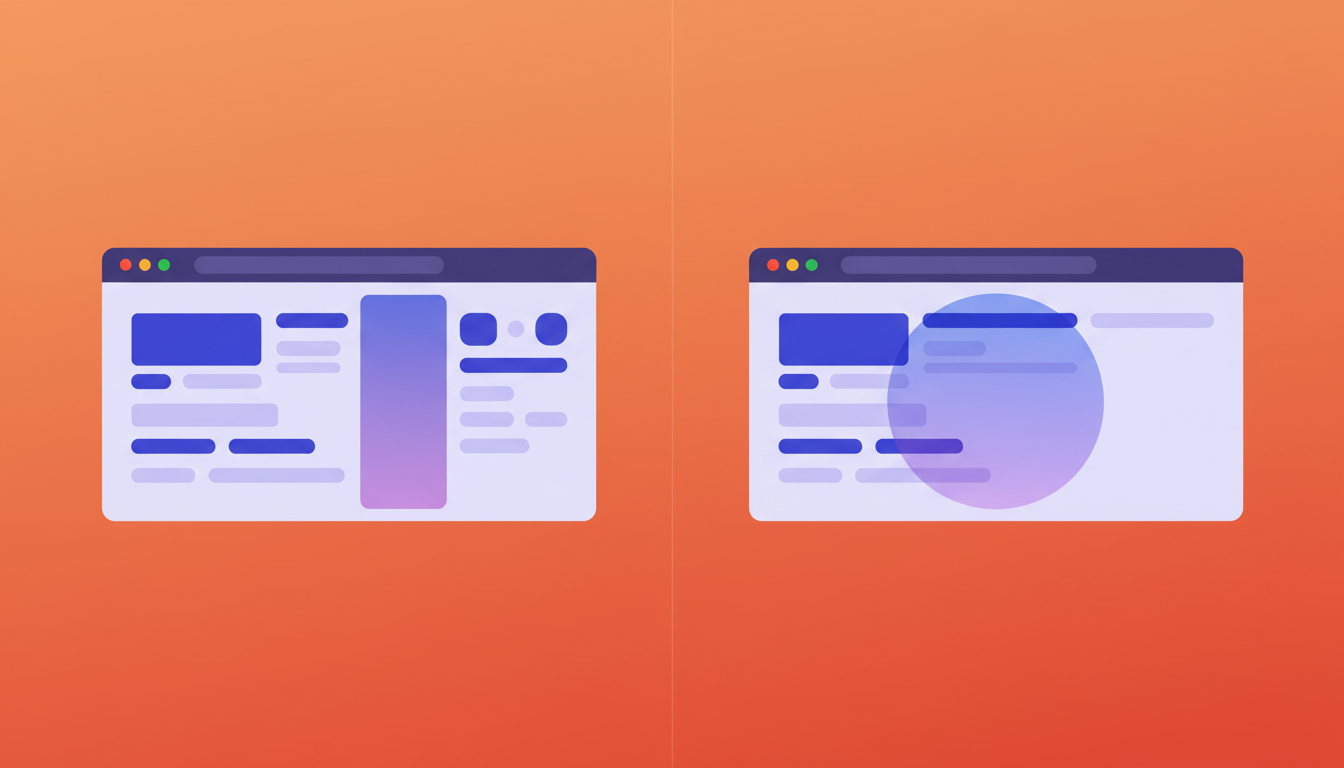
Claude in Chrome occupies a persistent sidebar on the right side of your browser. Every time it's open, your browsing window shrinks to accommodate it. Gemini takes the same approach with the same result: you're constantly working with a compressed view of whatever content you actually need to see. For anyone living in wide dashboards or multi-column tools, that lost real estate adds friction fast.
Composite works differently. It appears as a lightweight spotlight overlay when you hit Cmd/Ctrl + Shift + Space, sits on top of your existing view, and disappears the moment your task is underway. Your full viewport stays intact the entire time.
Why Screen Space Actually Matters
If you're pulling data from an analytics dashboard or reviewing a wide CRM layout, a sidebar consuming 25-30% of your screen goes beyond minor annoyance. It actively disrupts your workflow. Composite never competes with your content for space.
AI Model Architecture and Flexibility
Claude in Chrome runs exclusively on Anthropic's Claude models, with no ability to route tasks elsewhere. Browser compatibility is equally narrow: the extension works only in Chrome, leaving Edge, Brave, and other Chromium browsers unsupported.
Pricing compounds the constraint. Claude Pro runs $20/month, but Pro users are capped at smaller models. Sonnet or Opus access requires the Max plan at $100/month for 5x usage, or $200/month for 20x. Heavier usage means a steep cost jump before you gain any architectural flexibility.
Composite takes the opposite approach. It works across Chrome, Edge, and other Chromium browsers without migration. Its multi-model architecture routes each task to whatever model fits best:
- Fast open-source models handle simple jobs instantly, keeping response times low and costs contained.
- Larger vision models step in only for complex, multi-step operations where accuracy genuinely requires it.
- No single provider controls the routing, so you get the right fit for each task automatically.
The practical result is speed and accuracy you never have to manage yourself.
Feature | Composite | Claude in Chrome |
|---|---|---|
User Interface | Lightweight spotlight overlay that preserves full viewport and disappears when task begins | Persistent sidebar that consumes 25-30% of screen space and compresses browsing window |
AI Model Architecture | Multi-model routing across fast open-source models and larger vision models for optimal speed and accuracy | Locked exclusively to Anthropic's Claude models with no routing flexibility |
Browser Compatibility | Works across Chrome, Edge, Brave, and other Chromium browsers | Chrome only, no support for other Chromium browsers |
Workflow Approach | Proactive pattern detection that suggests automations before you ask | Reactive workflow recording that requires manual demonstration and training |
Concurrent Execution | Up to five concurrent threads with task parallelization within each thread | Single-threaded processing, one task at a time |
Execution Architecture | Local execution in your browser with zero data retention from AI subvendors, SOC-2 Type 2 compliant | Cloud processing through Anthropic servers with documented 1% prompt injection risk even after safeguards |
Pricing and Access | Full feature access without model tier restrictions | Pro at $20/month limited to Haiku 4.5 only, Max required at $100-200/month for Sonnet or Opus access |
Proactive Intelligence vs. Reactive Workflows
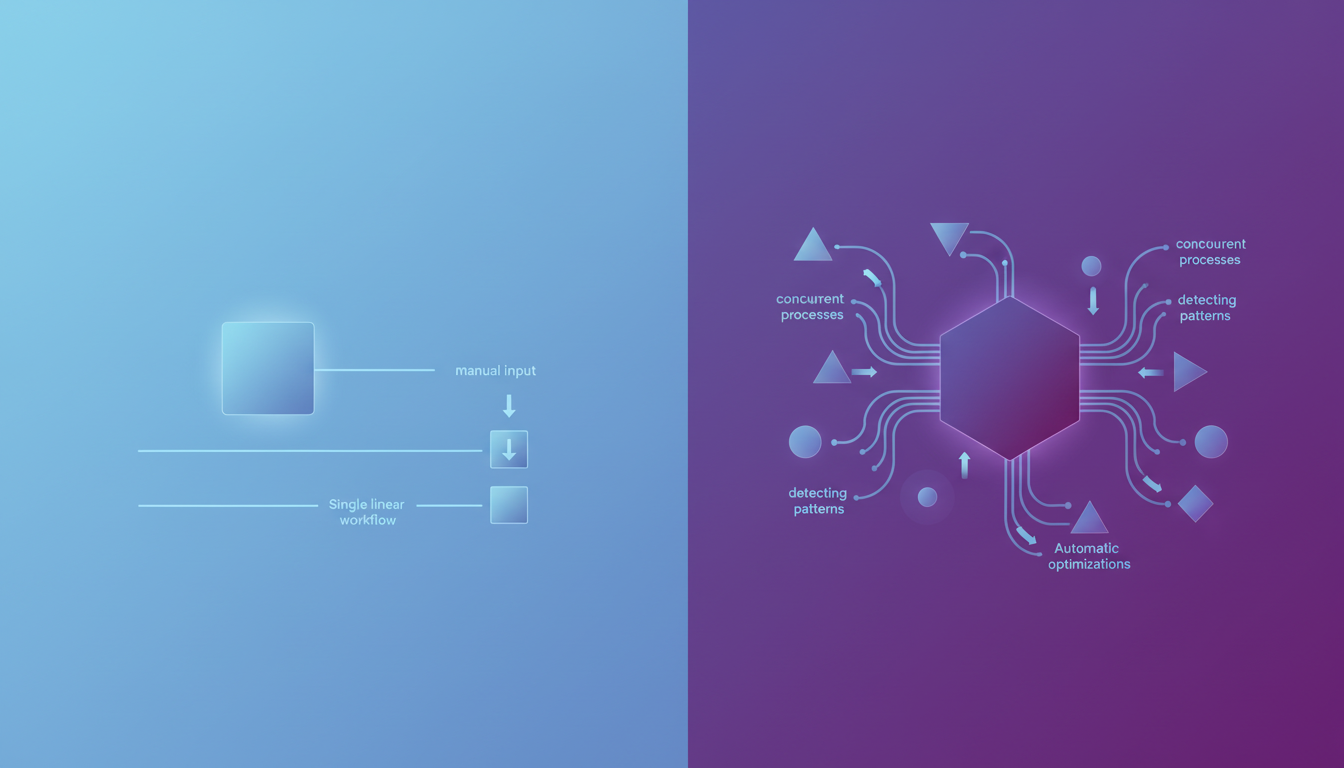
Claude in Chrome does offer workflow recording, which lets you teach Claude repetitive tasks by walking through them manually. You can schedule those shortcuts to run recurring jobs. That's genuinely useful, but the model is reactive at its core: you spot the pattern, you do the training, you initiate the task.
Composite works the other way around. It monitors your browsing patterns and surfaces automation suggestions before you think to ask. If you're running the same cross-tool sequence multiple times, Composite flags it and recommends a workflow you never had to define yourself. The time saved is in execution and in not having to recognize the opportunity in the first place.
Professionals spend roughly 85% of their day on repetitive digital tasks. The bottleneck usually isn't doing the work. It's noticing which work could be automated.
Beyond pattern detection, Composite Pro runs five concurrent threads simultaneously. Task parallelization means multiple actions can execute within a single thread at the same time. Claude in Chrome doesn't offer equivalent concurrency.
The difference adds up quickly for knowledge workers juggling multiple workflows at once:
- Claude in Chrome: one task at a time, manually initiated, trained by demonstration
- Composite: up to five concurrent threads, proactively suggested, no manual training required
Reactive tools put the cognitive load on you. You have to notice what's repetitive, build the workflow, and remember to run it. Composite moves that load onto the agent, which is where it belongs.
Local Execution vs. Cloud Processing
Cloud-based browser agents carry a specific security risk that local tools don't: prompt injection. When Claude in Chrome processes a webpage, every piece of content on that page, including ads, embedded scripts, and dynamically loaded elements, passes through Anthropic's servers. Malicious content can potentially embed instructions that manipulate the agent's behavior. Indirect prompt injection represents a hidden threat to GenAI systems, allowing attackers to embed malicious instructions in content AI tools access. Anthropic's own research found a 1% prompt injection success rate even after implementing safeguards, down from higher rates in earlier testing.
Composite takes a different approach entirely. All actions execute locally inside your existing browser on your own device. Execution happens in your local browser instead of routing through external cloud servers for processing, which eliminates the cloud-based injection surface. Your existing browser sessions handle authentication directly in your local environment.
For enterprise teams, that matters beyond just architecture. AI subvendors operate under a zero data retention policy and never store your data. Admin blocklists and per-site restrictions are managed locally. Composite is SOC-2 Type 2 compliant, giving IT and security teams something concrete to work with.
Why Composite is the Better Choice
Claude in Chrome fits a narrow use case well: teams already locked into Anthropic's ecosystem who don't mind a persistent sidebar and are comfortable with a reactive, single-model setup. If that describes your situation, it works.
For everyone else, the tradeoffs stack up fast. Screen real estate shrinks, model flexibility disappears, and every workflow still depends on you spotting the automation opportunity first.
Composite covers more ground with less friction:
- Works across Chrome, Edge, and Chromium browsers without requiring any migration between tools or setups.
- Preserves your full screen with a spotlight overlay instead of occupying a permanent sidebar.
- Routes tasks through the best-fit model automatically, so you're not limited to a single LLM.
- Detects repetitive patterns and suggests workflows proactively, before you have to ask.
- Executes actions locally in your browser, so no cloud injection surface is introduced.
- AI subvendors retain zero data, backed by SOC-2 Type 2 compliance for enterprise teams.
The decision comes down to what you actually need from a browser agent. A reactive assistant tied to one model and one interface, or a proactive agent that works across your entire browser setup, adapts to your habits, and stays out of the way until you need it.
Final Thoughts on Browser Automation Tools
The Composite Claude comparison isn't close once you look past the surface features. You can stick with a reactive tool that compresses your screen and locks you into one LLM, or you can work with an agent that preserves your viewport, routes tasks intelligently, and tells you what's worth automating before you waste time doing it manually. Your browser agent should make fewer decisions for you to manage, not more. If that sounds like what you need, contact us and we'll walk you through how it works in practice.
FAQ
How should I decide between Composite and Claude in Chrome for my workflow?
If you need browser-agnostic support, proactive task suggestions, and multi-model flexibility, Composite is the better fit. Claude in Chrome works well for teams already locked into Anthropic's ecosystem who only use Chrome and prefer a reactive, sidebar-based workflow.
What's the core difference in how these tools handle repetitive tasks?
Claude in Chrome requires you to manually record workflows by showing them step-by-step, then schedule when they run. Composite monitors your browsing patterns and proactively suggests automation before you have to recognize the pattern yourself, saving both execution time and cognitive overhead.
Who is each tool best suited for?
Composite is built for knowledge workers across Chrome, Edge, and Chromium browsers who need concurrent task execution, proactive suggestions, and enterprise-grade security. Claude in Chrome fits teams exclusively on Chrome who are already invested in Anthropic's model ecosystem and comfortable with reactive, single-threaded workflows.
Can I run multiple tasks at the same time with these tools?
Composite Pro users can run up to five concurrent threads simultaneously, with task parallelization within each thread. Claude in Chrome processes one task at a time with no concurrent execution, so you'll need to wait for each workflow to complete before starting the next.
What should I know about migrating from Claude in Chrome to Composite?
Composite works inside your existing Chrome browser with no migration required - just install the extension and use your current logged-in sessions. You won't need to retrain workflows manually since Composite learns your patterns automatically, and AI subvendors operate under zero data retention while maintaining SOC-2 Type 2 compliance for enterprise teams.