Automated Agents: The Complete Guide to AI Workflow Automation in April 2026
You open LinkedIn to research a prospect, switch to your CRM to update their record, pull notes from your spreadsheet, draft an email in Gmail, then switch back to log everything. That's one lead down, forty-nine to go. The tools you're using aren't connected, so you're the integration layer, manually moving information from screen to screen. Traditional RPA would help if your workflow never changed, but the moment someone updates a field label or your manager asks for a different output format, the script breaks and you're back to doing it yourself. Automated agent platforms work differently because they interpret goals instead of following rigid scripts, which means they adjust when interfaces change and handle the kind of variable, multi-app work that's been impossible to automate until now.
TLDR:
- Automated agents execute multi-step workflows across apps by interpreting goals and adapting in real time, unlike rigid RPA bots that break when interfaces change
- 40% of enterprise applications will embed AI agents by end of 2026, up from under 5% in 2024
- Agents deliver ROI in sales ops, recruiting, finance reporting, and operations by handling cross-tool processes that span multiple systems
- Composite works inside your existing browser with Cmd/Ctrl + Shift + Space, executing tasks locally across any website without API setup or browser migration
What Are Automated Agents and How Do They Work
An automated agent is software that takes a goal described in plain language, breaks it into a sequence of steps, and then executes those steps across one or more applications without waiting for you to click every button. That's the key distinction from a chatbot, which answers questions but stops short of doing anything.
Where a chatbot says "here's how to update your CRM," an automated agent actually opens the CRM, finds the right record, and makes the change. It reasons about what needs to happen next, adapts when something unexpected appears on screen, and chains actions across tabs, tools, and workflows.
This matters because knowledge workers spend roughly 85% of their day on repetitive digital tasks. Automated agents handle those tasks so you can focus on work that requires judgment, creativity, and strategy.
Types of AI Agents Powering Workflow Automation
Not every automated agent works the same way under the hood. The architecture behind an agent determines how much complexity it can handle and how independently it operates.
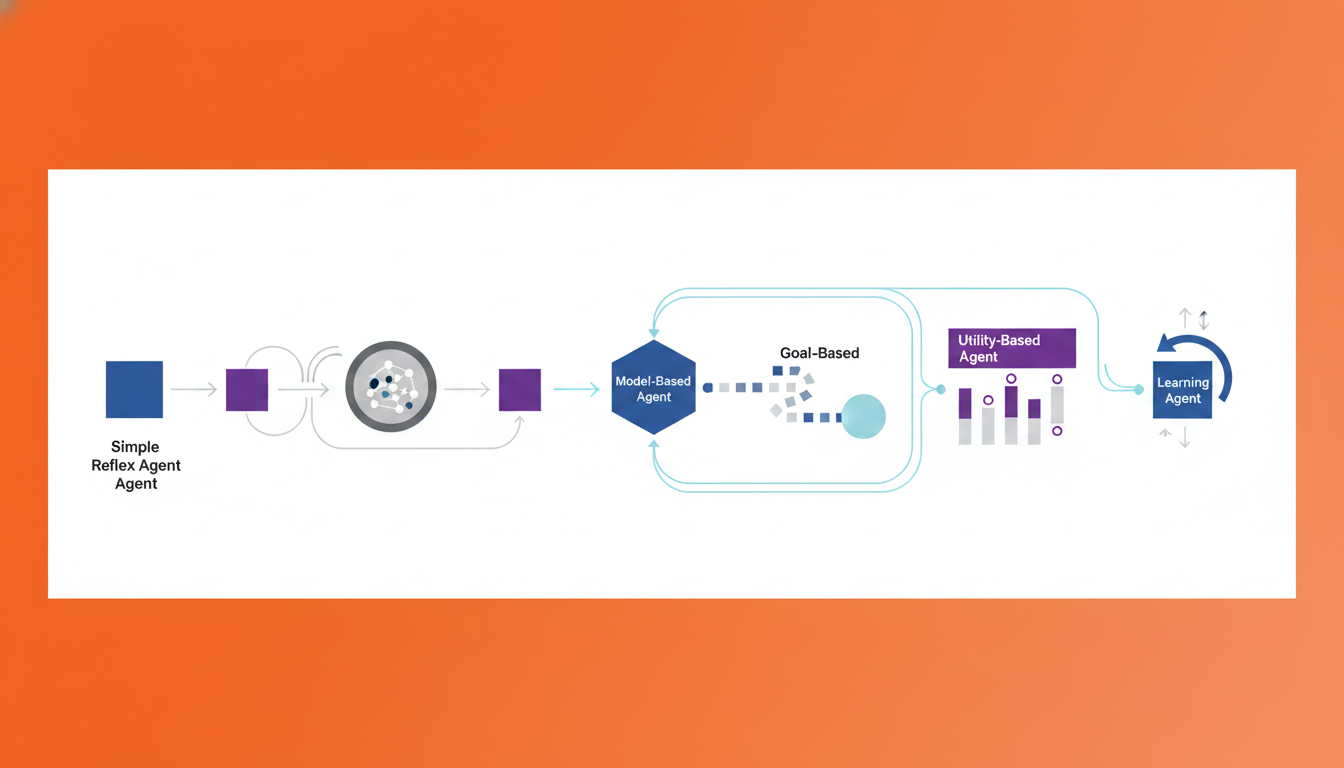
- Simple reflex agents follow predefined if/then rules. They're fast but rigid, good for routing emails to folders or flagging overdue invoices.
- Model-based reflex agents maintain an internal picture of their environment, so they can handle situations where not everything is visible at once, like monitoring a dashboard that updates periodically.
- Goal-based agents plan multi-step sequences toward a defined outcome. Think: "research these ten accounts and draft personalized outreach for each."
- Utility-based agents weigh trade-offs between competing objectives, choosing the action that maximizes a score. Useful when ranking a backlog or allocating budget across campaigns.
- Learning agents improve over time by observing which actions succeed and which don't, adapting their behavior with each cycle.
Most real-world workflow automation blends several of these types. A recruiting agent, for instance, might use goal-based planning to source candidates across LinkedIn, then apply utility-based ranking to surface the best fits. When you're comparing automated agent options, the question isn't which single type is "best." It's which combination matches the complexity and variability of the work you need done.
The Market Growth Behind Automated Agent Adoption
The shift from experimentation to production is happening fast. Gartner predicts that 40% of enterprise applications will include embedded task-specific AI agents by the end of 2026, up from less than 5% in 2024. That's an eightfold jump in two years.
What's driving the acceleration? Three things, mostly:
- Falling inference costs make it economically viable to run agents at scale, not in sandbox demos alone.
- LLMs have gotten reliable enough that enterprises trust them with customer-facing and internal workflows.
- The ROI case is no longer theoretical. Teams that deployed automated agents in 2024 pilot programs are now expanding across departments because the time savings are measurable and immediate.
This momentum explains why the conversation has shifted from "should we try AI agents?" to "where do we deploy them next?"
Automated Agents vs Traditional RPA: Understanding the Key Differences
RPA bots follow scripts. They click the same button, in the same place, in the same order, every single time. Change a field label or move a menu, and the bot breaks. That rigidity is fine for structured, predictable tasks like transferring rows between spreadsheets on a fixed schedule.
Automated agents work differently. They interpret a goal, decide which steps to take, and adjust when the interface or data changes mid-workflow. Where an RPA bot needs a developer to rebuild its script after a UI update, an agent recognizes the new layout and keeps going.
Traditional RPA | Automated Agents | |
|---|---|---|
Input | Scripted rules | Natural language goals |
Adaptability | Breaks on UI changes | Adjusts in real time |
Decision-making | None; follows fixed paths | Reasons through options |
Setup complexity | Developer-built workflows | Describe the task, run it |
Best for | High-volume, identical tasks | Variable, multi-app workflows |
That said, this isn't an either/or decision. Many teams run RPA for bulk structured processes and layer automated agents on top for the judgment-heavy work that RPA can't touch. The hybrid approach lets you keep what's already working while extending automation into messier, more variable territory.
Business Use Cases: Where Automated Agents Deliver the Most Value
The real value shows up when agents handle entire processes end to end, not isolated clicks.
Sales Operations
An agent can research a prospect across LinkedIn, Crunchbase, and your CRM, then draft a personalized follow-up email and log the activity, all from a single prompt. Pipeline hygiene that used to eat hours becomes a background task.
Recruiting and HR
Candidate sourcing across multiple job boards, deduplication in your ATS, and personalized outreach drafting. One workflow replaces what typically takes a recruiter an entire morning.
Finance and Reporting
Pulling numbers from disparate dashboards, matching them in a spreadsheet, and generating summary reports. Agents handle the cross-system grunt work so analysts spend time on interpretation instead.
Operations and Supply Chain
Inventory monitoring, vendor follow-ups, cross-system data migration. These are exactly the kinds of variable, multi-app workflows where scripted bots stall out but agents thrive.
The common thread across all of these? The work spans multiple tools and requires light judgment at each step. That's the sweet spot for automated agents, and the gap that copy-paste workflows and single-app AI tools can't close.
How Automated Agents Execute Multi-Step Workflows
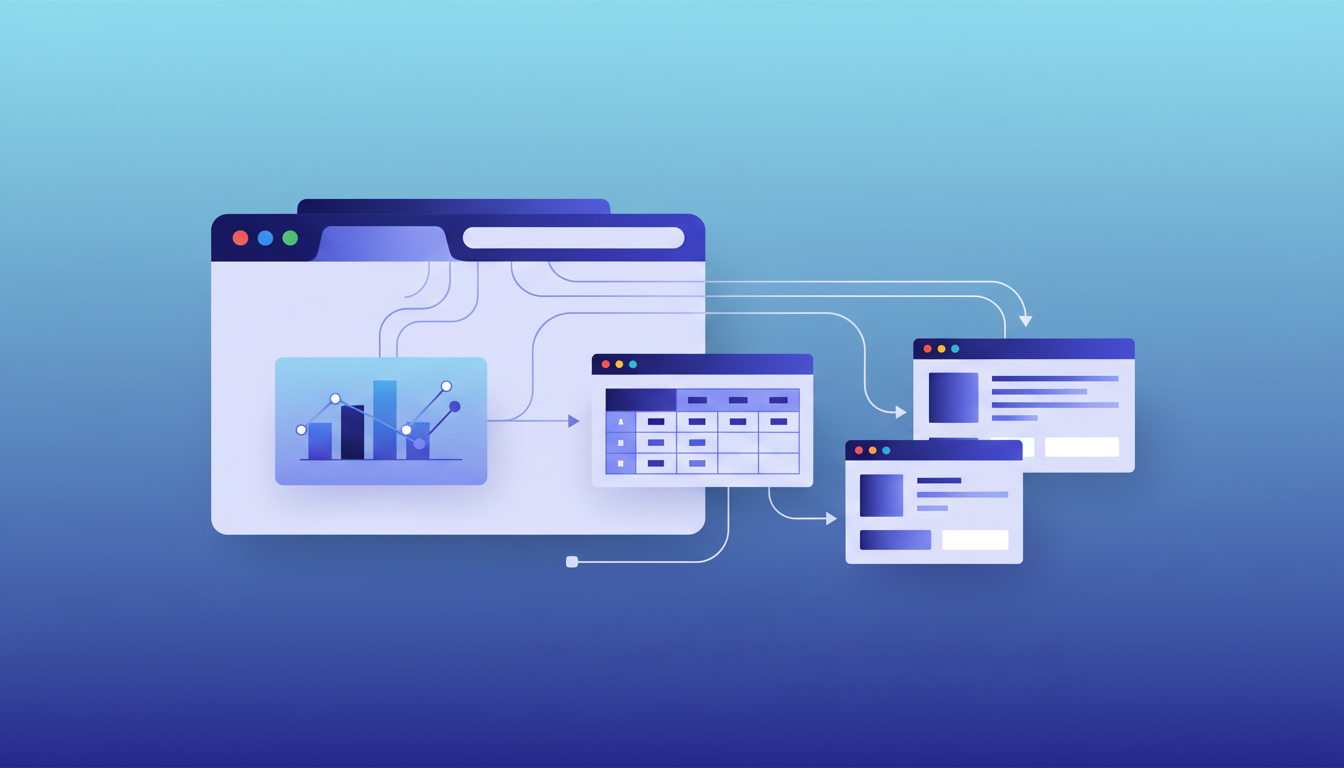
When you describe a task, the agent starts by observing what's on screen, reading page elements the same way you would. From there, it builds a plan: a sequence of actions mapped to the goal, broken into discrete steps across whatever tabs or tools are involved.
Execution happens locally in your browser. The agent clicks, types, moves between pages, and reads results in real time, using your existing logged-in sessions, making it one of the best cross-tool automation tools for knowledge workers. No API keys, no connector setup, no middleware. If a page loads slowly or a layout changes, the agent re-reads the environment and adjusts its next move.
What makes this practical for real work is parallelization. Instead of completing one step, waiting, then starting the next, agents can run multiple actions within a single thread simultaneously. Need data pulled from three dashboards at once? The agent handles all three concurrently, then synthesizes the results into a single output. Context carries forward across every step, so nothing gets lost between tools.
Data Privacy and Security Considerations for Enterprise Deployment
Enterprise IT teams considering automated agents ask one question before anything else: where does our data go? The answer matters more here than with traditional software because agents interact with live sessions across sensitive tools.
A few controls separate production-ready AI browser agents for enterprise productivity from risky experiments:
- Role-based access that limits which agents can touch which systems and data
- Audit trails logging every action an agent takes, step by step, for compliance review
- Zero data retention policies with AI subvendors, so our AI partners never store or use your information for model training
- SOC-2 Type 2 compliance as a baseline for organizational security posture
- Local execution within the user's own browser, so agent actions happen directly on your device instead of routing through remote cloud environments
At Composite, our AI subvendors operate under zero data retention, and all agent actions execute locally in your browser. That architecture sidesteps the approval headaches that come with cloud-based agents routing sensitive data through third-party infrastructure. For IT teams weighing automated agents, the question is whether the vendor built security in from day one.
Implementation Challenges and Success Factors
Rolling out automated agents across an organization sounds straightforward until you hit the messy middle. Gartner research shows that over 40% of agentic AI projects risk cancellation by 2027 when governance, observability, and ROI clarity aren't locked in early. The pattern is familiar: a team runs a promising pilot, leadership greenlights a broader rollout, and then the project stalls because nobody defined what success looks like or who owns oversight.
Start Narrow, Then Expand
The teams that succeed almost always begin with a single, high-impact workflow instead of an enterprise-wide push. This targeted approach matters because C-suite AI productivity survey, yet only 29% of companies see significant ROI from their AI investments, revealing a critical gap between individual productivity and organizational value capture.
Pick a process that's repetitive, spans multiple tools, and has a clear before-and-after metric like time spent, error rate, or throughput, which is exactly what browser agents for product managers excel at. Prove value there, document the results, then expand.
Build Governance Before You Scale
- Define which workflows agents are allowed to touch and which require human approval at each step
- Assign ownership for monitoring agent behavior, reviewing audit logs, and updating permissions as roles change
- Set explicit success metrics upfront so you can distinguish a working deployment from an expensive experiment
Common Implementation Pitfalls
- Scope creep: trying to automate everything at once instead of sequencing rollouts by complexity
- Missing observability: if nobody can see what an agent did or why, trust erodes fast, particularly when 78% of workers bring their own AI tools and create shadow AI environments outside IT oversight
- Underestimating change management: the people whose workflows change need context, not a new tool dropped on them without explanation
The difference between a pilot that scales and one that gets shelved is rarely the tech itself. It's whether the organization treated governance and measurement as prerequisites, not afterthoughts.
How Composite Changes Browser-Based Work with Automated Agents
Most automated agent solutions ask you to change something: switch browsers, connect APIs, or rebuild workflows inside a new tool. Composite takes the opposite approach. You press Cmd/Ctrl + Shift + Space on whatever site you're already using, describe what you need in plain English, and the agent executes it right there in your browser.
That means a salesperson updating Salesforce, researching prospects on LinkedIn, and drafting follow-ups in Gmail never leaves their existing tabs, making Composite one of the best browser automation tools for sales teams. The agent moves between all three, carrying context forward, using the sessions you're already logged into. No OAuth flows, no connector configuration, no IT tickets.
A few things make this work for professional workflows:
- A multi-model architecture routes each action to the fastest, most capable model available without locking you into a single provider
- Site-specific hints let the agent handle complex apps like Google Sheets or Jira without stumbling on tricky UI patterns
- Proactive task detection learns your habits over time and surfaces suggestions before you think to ask
- "@" mentions and file uploads give the agent precise context so it doesn't guess at what you need
If you're spending your day copying data between tools, triaging backlogs, or assembling reports from five different dashboards, that's exactly the kind of cross-app grunt work Composite was built to handle. Try it at composite.com.
Final Thoughts on Deploying Automated Agents in Your Organization
The difference between an automated agent pilot that scales and one that stalls usually comes down to starting narrow and defining success upfront. Pick one workflow that's eating time without creating value, measure what happens when an agent takes it over, then expand based on what the data tells you. If you're trying to figure out where automation fits in your stack, schedule a conversation with us to map out the highest-impact starting point. Your team already knows which tasks feel like waste. The question is whether you're ready to take them off the plate.
FAQ
What's the difference between an automated agent and a chatbot?
A chatbot answers questions and stops, while an automated agent executes the entire workflow for you. When you ask about updating a CRM, an agent opens the system, finds the record, and makes the change, carrying out the complete task across tools without waiting for you to click each step.
Can automated agents adapt when a website's layout changes?
Yes. Automated agents read and interpret the page in real time, so they adjust when menus move or field labels change. This is the key difference from traditional RPA bots, which break the moment a UI element changes and require developer intervention to rebuild the script.
Automated agents vs RPA: which should I use?
Use RPA for high-volume, identical tasks on fixed schedules, and automated agents for variable, multi-app workflows that require light judgment at each step. Many teams run both: RPA handles bulk structured processes while agents tackle the messy, variable work that scripted bots can't touch.
What are the most common types of agents in AI?
Goal-based agents plan multi-step sequences toward a defined outcome, utility-based agents weigh trade-offs to maximize a score, and learning agents improve by observing which actions succeed. Most real-world workflow automation blends several types. A recruiting agent might use goal-based planning to source candidates and utility-based ranking to surface the best fits.
How do automated agents handle data privacy for enterprise use?
Automated agents built for enterprise work execute actions locally in your browser and operate under zero data retention policies with AI subvendors, meaning your information is never stored or used for model training. Look for SOC-2 Type 2 compliance, audit trails for every action, and role-based access controls before deploying across your organization.