Best Browser Agent for Recruiter Outreach at Scale (April 2026)
Most recruiters spend more time copying candidate data between tabs than actually talking to candidates. You'll open a LinkedIn profile, manually enter details into Greenhouse or Lever, switch to Gmail to draft a personalized message, then do it all over again for the next person on your list. A recruiter browser tool eliminates that tab-switching tax by running multi-step workflows across every site in your browser as one automated sequence. No API setup, no new apps, just describe what you need and let the agent handle the clicking.
TLDR:
- Browser agents automate multi-site recruiting tasks like LinkedIn sourcing, ATS updates, and outreach drafting from one prompt
- Local execution avoids credential sharing and site blocking that cloud RPA triggers
- 80% of agencies now use AI for recruiting tasks, but single-app tools can't chain actions across your stack
- Composite works in Chrome/Edge/Brave using your logged-in sessions with SOC-2 Type 2 compliance and zero AI subvendor data retention
What Is a Browser Agent for Recruiters
A browser agent for recruiters is an AI tool that sits inside your existing browser and carries out multi-step recruiting tasks on your behalf. You describe what you need in plain English, and the agent clicks, types, moves across sites, and pulls data across websites in real time.
What separates this from traditional automation? There are no API integrations to configure, no new apps to install, and no need to bounce between disconnected tools. The agent works within your logged-in sessions on LinkedIn, your ATS, email, and anywhere else you already spend your day.
Think of it as a layer on top of the browser you're already using. Instead of replacing your workflow, it rides alongside it and handles the repetitive sequences that eat up your hours.
Why Recruiters Need Browser Automation in 2026
Recruiting has always been a relationship game, but the daily reality looks nothing like that. Most of a recruiter's time goes to toggling between tabs, copying candidate details into an ATS, drafting near-identical outreach messages, and scheduling follow-ups. College-educated professionals spend 85% of their day trapped in repetitive digital busywork, and recruiters are no exception. Recruiting metrics benchmarks for 2026 show that productivity gaps continue widening for teams still relying on manual processes.
The industry already knows this is unsustainable. Automation tools for recruiters have become critical to combat this reality. According to Tidio, 80% of recruitment agencies now use AI to save time on manual tasks like candidate outreach, interview scheduling, and screening, while 44% of recruiters rely on AI agents such as chatbots or automated interviewers.
But most of those tools live inside a single app. A browser agent for recruiters works across every site you touch, turning fragmented clicking into continuous, automated sequences so you can spend your hours on the work that actually fills roles.
How Browser Agents Work for Recruiter Workflows
When you trigger a browser agent, you're handing off a sequence you'd normally do by hand. Say you need to research 20 candidates on LinkedIn, pull their details into your ATS, and draft personalized outreach for each one. You describe that task in plain English, and the agent breaks it into discrete steps: open a LinkedIn profile, extract role history and skills, switch to your ATS tab, populate the right fields, then compose a message tailored to that candidate's background.
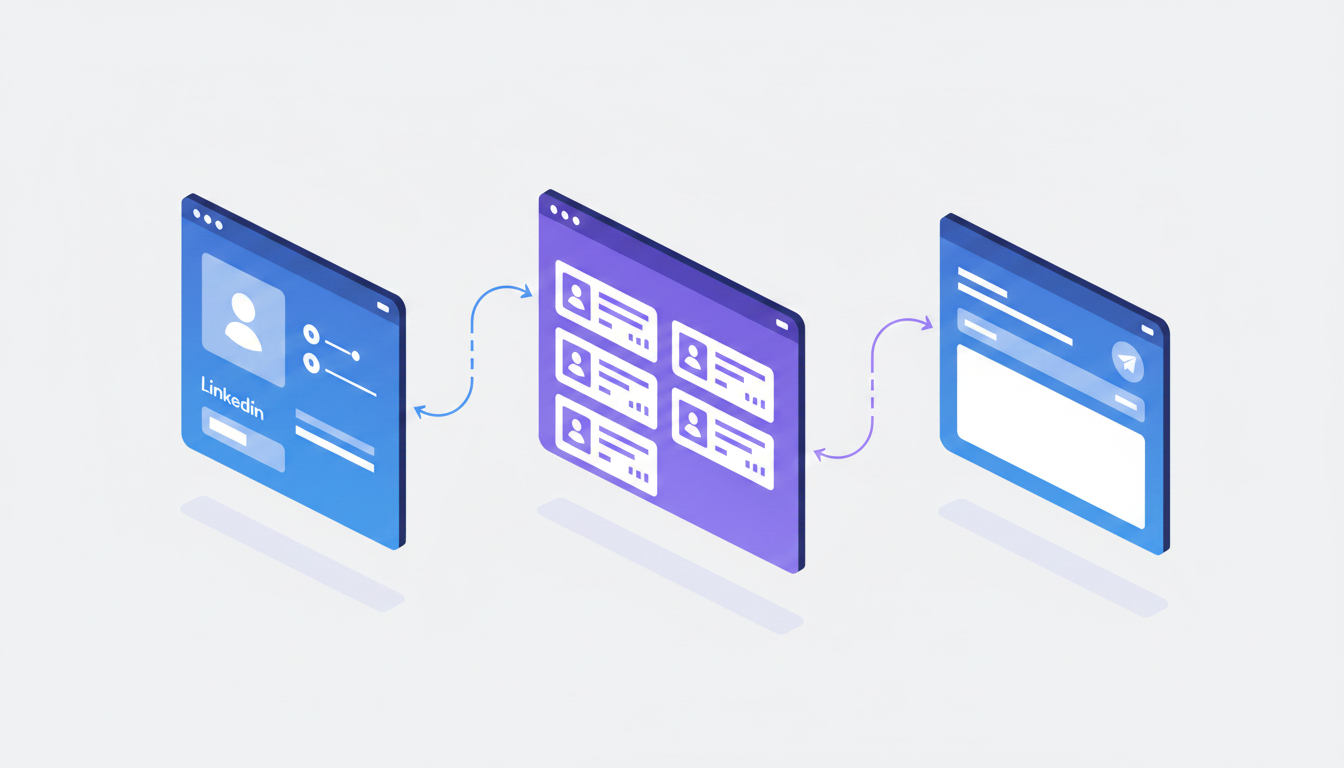
The key mechanic is session reuse. Because the agent runs inside your own browser, it piggybacks on whatever you're already logged into. No OAuth tokens, no API keys, no IT tickets. Your LinkedIn session, your Greenhouse login, your Gmail drafts folder are all fair game.
Each step happens in real time, visibly, on your screen. The agent clicks buttons, scrolls pages, and types text the same way you would. If a workflow spans five different sites, it moves between them as a continuous chain without requiring separate integrations for each tool. One prompt can kick off candidate sourcing, profile enrichment, CRM entry, and outreach drafting as a single threaded sequence.
Core Browser Agent Capabilities Recruiters Should Focus On
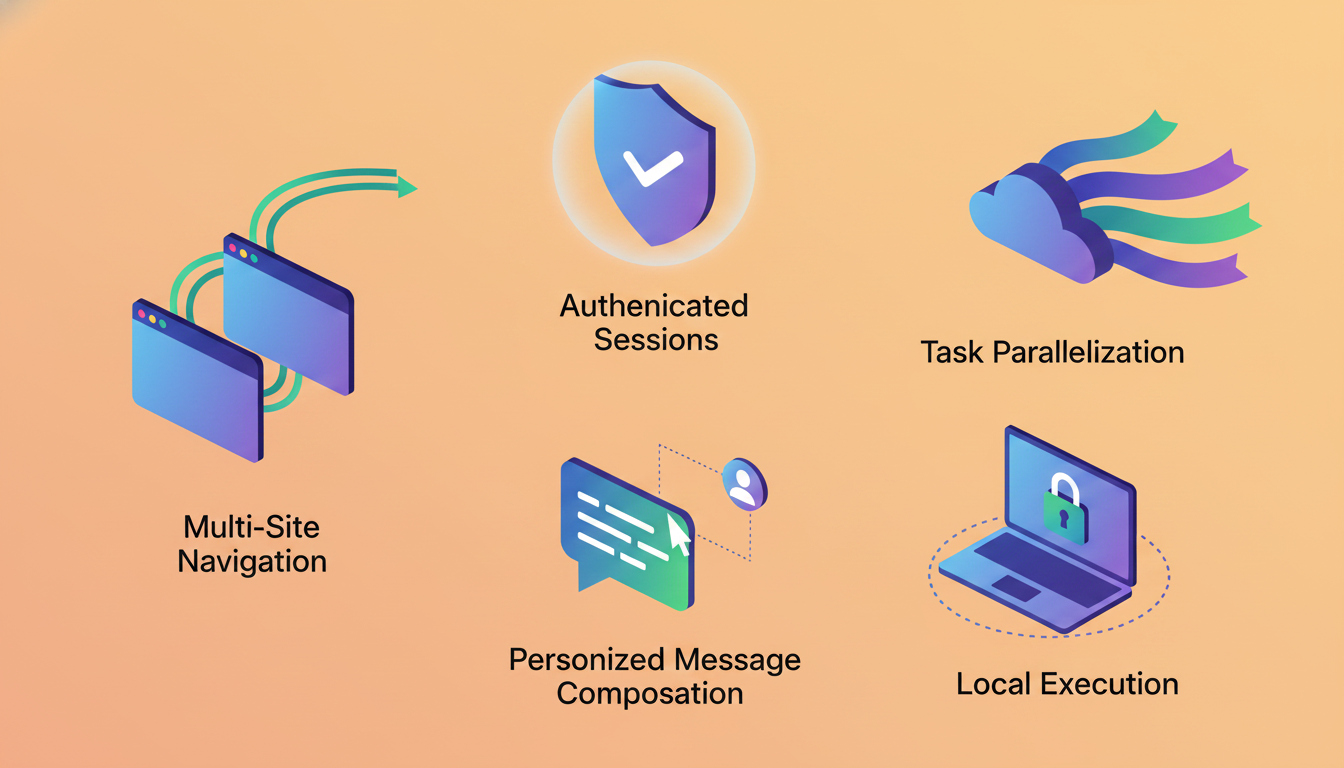
Not every browser agent is built with recruiting workflows in mind. When you're comparing options, these are the capabilities that matter most:
- Multi-site navigation means the agent moves fluidly between LinkedIn, your ATS, email, and sourcing tools within a single task sequence. If it can only operate on one site at a time, it's a glorified macro. Browser automation tools for prospecting face the same limitation.
- Authenticated session reuse lets agents piggyback on your existing logged-in browser sessions without requiring API keys or OAuth setup for every tool you use day to day.
- Task parallelization is what separates real automation from busywork. Sourcing 50 candidates one by one defeats the purpose; the agent should handle multiple actions or candidates simultaneously.
- Personalized outreach generation matters because generic templates tank response rates. The agent should pull context from a candidate's profile and craft messages that reflect their actual background.
- Local execution keeps actions running inside your own browser, which avoids the detection flags that remote cloud environments trigger and keeps sensitive candidate data off third-party servers.
If a tool checks all five boxes, it can replace the patchwork of single-app add-ons most recruiting teams cobble together today.
Browser Agent Use Cases for Recruiting Teams
Here's where a browser agent moves from "nice to have" to daily infrastructure for recruiting teams:
- Cross-source candidate sourcing: Pull candidates from LinkedIn, GitHub, Stack Overflow, and niche job boards in a single sweep instead of searching each one manually.
- Personalized outreach at scale: Draft messages that reference a candidate's specific projects, tenure, or skill transitions instead of blasting the same template to 200 inboxes.
- ATS sync from external sources: Move candidate details, notes, and tags from sourcing sites into Greenhouse, Lever, or Ashby without copy-pasting a single field.
- Hiring trend intelligence: Scan competitor career pages and headcount changes across LinkedIn to spot which teams are growing and where talent gaps are opening.
- Interview scheduling coordination: Move between Google Calendar, your ATS, and email to propose times, confirm availability, and send calendar invites as one uninterrupted sequence.
Each of these workflows touches three to five different sites. That's exactly the kind of cross-tool chaining where a browser agent outperforms any single-app recruiting add-on.
Browser Agents vs. Single-App AI Tools for Recruiters
Most recruiting teams already have some AI baked into their stack. LinkedIn Recruiter suggests candidates. Greenhouse can auto-score applicants. Your email tool might draft follow-ups. Each of these works fine in isolation, but isolation is the problem.
A single-app AI tool only sees what's inside its own walls. LinkedIn Recruiter knows nothing about your ATS pipeline, and your ATS knows nothing about the GitHub activity you just reviewed. Every time you switch tabs to move data from one tool to another, you're doing the stitching work that AI was supposed to handle for you.
Browser agents flip the model. Instead of AI living inside each app, the agent sits above all of them and chains actions across your entire stack in a single sequence. One prompt can pull a LinkedIn profile, check your ATS for duplicates, enrich the candidate with GitHub data, and draft outreach in Gmail. No exports, no imports, no tab juggling.
Single-App AI Tools | Browser Agents | |
|---|---|---|
Scope | One app at a time | Any website in your browser |
Data transfer | Manual copy-paste between tools | Automated cross-site chaining |
Setup | Per-tool configuration or API keys | Works with existing logged-in sessions |
Context switching | Still required between apps | Eliminated within a task sequence |
If your recruiting workflow touches fewer than two tools, single-app AI might be enough. For everyone else, the math favors an agent that sees the whole board.
Local Execution vs. Cloud-Based Recruiting Automation
Where your automation runs matters more than most recruiters realize, especially once legal and IT get involved.
Cloud-based recruiting automation tools execute actions on remote servers. Your LinkedIn credentials, ATS logins, and candidate data all travel to a third-party environment. Websites frequently detect and block these remote sessions, and IT teams are understandably reluctant to approve tools that require sharing credentials with external infrastructure.
Local execution works differently. The agent runs inside the browser on your actual device, using the sessions you're already logged into. No credentials leave your machine. No remote server impersonates your login. Websites see normal browsing behavior because it is normal browsing behavior.
For recruiting teams handling sensitive candidate data across compliance-focused industries, the deployment model is a compliance decision, not a technical footnote.
Cloud RPA also carries a setup tax: configuring headless environments, managing authentication tokens, and troubleshooting when a site changes its bot detection. A locally executed browser agent for recruiters sidesteps all of that. For a broader look at web automation approaches, the same principles apply. You install a browser extension, and it works with the tools you already have open.
Data Privacy and Security Considerations for Recruiting Browser Agents
Recruiting workflows involve names, contact details, compensation expectations, and employment history. When you hand any of that to an automation tool, you need to know exactly who touches it and what sticks around afterward.
The first question to ask any vendor: do their AI subvendors retain your data? This applies to any task automation implementation. Some providers pass candidate information through LLMs that log inputs for training purposes. Look for a zero data retention policy with AI subvendors, meaning the models processing your prompts and actions store nothing after the request completes.
Compliance certifications matter too. SOC-2 Type 2 signals that a vendor has been independently audited for how it handles, stores, and protects data over time, not a single point-in-time snapshot.
The execution model itself shapes your risk profile. Local execution keeps actions running in your own browser instead of on remote cloud servers, which reduces the attack surface and simplifies IT approval conversations compared to cloud RPA setups that require credential sharing.
A few admin-level controls worth checking for:
- Website blocklists that prevent the agent from visiting specific domains, useful if certain internal tools are off-limits
- Explicit user confirmation before high-risk actions like sending messages or submitting forms
- No credential extraction from the browser, so the agent rides on existing sessions without storing passwords
If a browser agent for recruiters can't answer these questions clearly, it's a red flag before you ever run your first outreach sequence.
Composite: The Browser-Agnostic Agent Built for Recruiter Outreach
Everything we've covered so far describes what to look for in a browser agent for recruiters. Composite is where those requirements meet a shipping product.
It runs inside Chrome, Edge, or Brave as a lightweight extension. No browser migration, no lost bookmarks, no IT headache. Hit Cmd + Shift + Space, describe your task, and Composite plans and executes it step by step across every site you're logged into. Source candidates on LinkedIn, update records in Greenhouse, draft personalized outreach in Gmail, all from a single prompt.
A multi-model architecture routes each step to the fastest, most capable model available instead of locking you into one provider. Because Composite learns your patterns over time, it starts suggesting repetitive recruiting sequences before you even think to type them. This proactive approach mirrors what the best AI assistants for browser work offer across roles. Actions run locally in your own browser, AI subvendors retain zero data, and SOC-2 Type 2 compliance backs the whole stack. That kind of cross-tool chaining is something single-app tools simply can't match.
Final Thoughts on Automating Recruiter Outreach
If your recruiting workflow still involves copying candidate details between tabs, you're doing the stitching work that recruiter outreach automation was built to handle. A browser agent sees your entire stack and chains actions across LinkedIn, your ATS, and email in one uninterrupted sequence. No API keys, no integration projects, just faster execution of the multi-step tasks you already run daily. Reach out if you want to see how it works with your tools.
FAQ
Can I automate candidate outreach without switching browsers or losing my logins?
Yes. Browser agents like Composite run as an extension inside Chrome, Edge, or Brave and use your existing logged-in sessions across LinkedIn, your ATS, and email. No re-authentication, no API keys, and no need to migrate browsers or get new IT approvals.
Browser agent vs single-app AI for recruiters?
Single-app AI tools (like LinkedIn Recruiter or Greenhouse auto-scoring) only work within their own ecosystem and still require manual data transfer between platforms. Browser agents automate sequences across every tool in your stack: LinkedIn sourcing, ATS updates, and Gmail outreach in a single continuous workflow without tab switching.
What is a browser agent for recruiters?
A browser agent is an AI tool that executes multi-step recruiting tasks across any website in your browser. You describe a task in plain English (like "source 20 candidates and draft personalized outreach"), and the agent clicks, types, and moves through LinkedIn, your ATS, and email automatically.
How does local execution improve security for recruiting automation?
Local execution runs all actions directly in your own browser on your device. Websites see normal browsing behavior instead of flagging bot activity, and IT teams face simpler approval conversations since authentication happens through your existing browser sessions instead of sharing credentials with third-party infrastructure.
Should I use cloud RPA or a local browser tool for recruiter outreach automation?
Use a local browser agent. Cloud RPA requires sharing credentials with remote servers, gets blocked by websites more often, and creates IT approval barriers. Local agents work inside your existing browser sessions with no setup overhead, better data privacy, and zero detection issues.