Best AI Browser Extensions for 2026: Top 10 Tools Reviewed (March 2026)
Your browser handles more of your work than any other application, yet you're still manually executing the same click sequences every day. You copy sales data from one tab to another, summarize long articles for team updates, and fill out repetitive forms across different platforms. The AI chrome extension tools available in March 2026 understand these patterns and can execute them from simple text commands. We tested 30 browser extensions to identify which ones genuinely automate professional workflows while maintaining reasonable privacy standards.
TLDR:
- AI browser extensions automate tasks via natural language commands in your current browser
- 52% of AI Chrome extensions collect user data; check permissions before installing
- Free tools like ChatGPT for Chrome and Grammarly handle writing and research tasks
- Extensions work in your existing browser without migration, unlike AI browsers
- Composite executes multi-step workflows locally with zero data retention policy with all of our AI subvendors
What AI Browser Extensions Are and Why They Matter
AI browser extensions are add-ons that use LLMs and machine learning to automate tasks directly inside your web browser. Unlike traditional extensions that follow rigid, pre-programmed rules, these tools interpret natural language commands, understand page context, and adapt their behavior based on what you're doing.
The difference matters because AI extensions can handle complex requests. Instead of clicking through five menus to summarize a research paper, you can ask the extension to do it. Instead of manually copying data between tabs, the extension can recognize the pattern and complete the transfer.
Browser extension adoption has surged from 1.2 billion users to 3.45 billion, reflecting how people now expect their browsers to do more than display web pages. AI extensions represent the next evolution: browsers that don't just respond to clicks but understand intent and execute multi-step workflows autonomously.
Core Capabilities of AI Browser Extensions in 2026
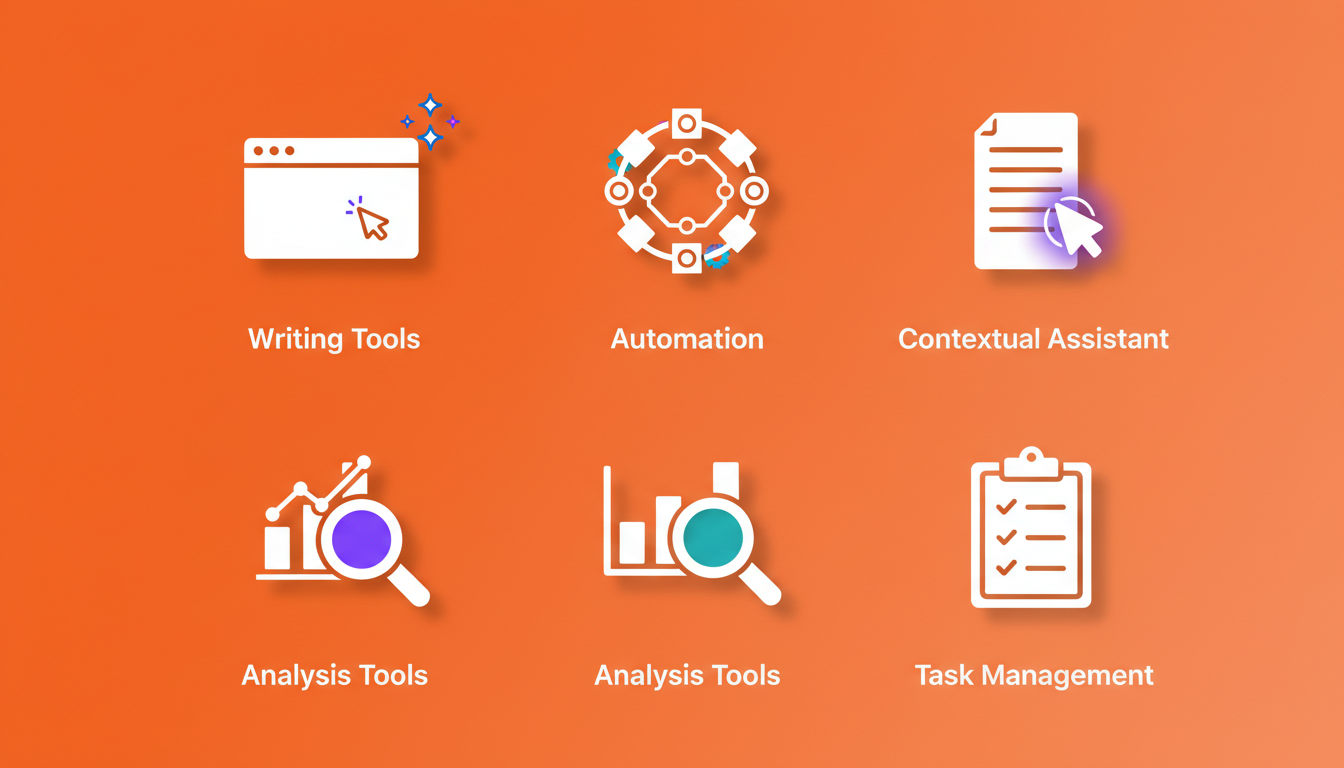
AI browser extensions in March 2026 handle five core functions. Writing tools generate and refine text across any input field, adjusting tone based on context. Automation extensions execute multi-step browser tasks from plain English commands, clicking buttons and filling forms without manual scripting. Contextual assistants read active pages and surface relevant documents or suggest next actions based on your research patterns. Analysis tools identify AI-generated text, extract data from reports, and flag suspicious content faster than manual review. Task management extensions convert scattered tabs into structured to-do lists, tracking follow-ups based on browser activity. Over 80% of knowledge workers now use browser-based AI tools to automate repetitive work, turning hours of manual tasks into seconds of guided execution.
AI Browser Extensions vs. AI Browsers: Understanding the Difference
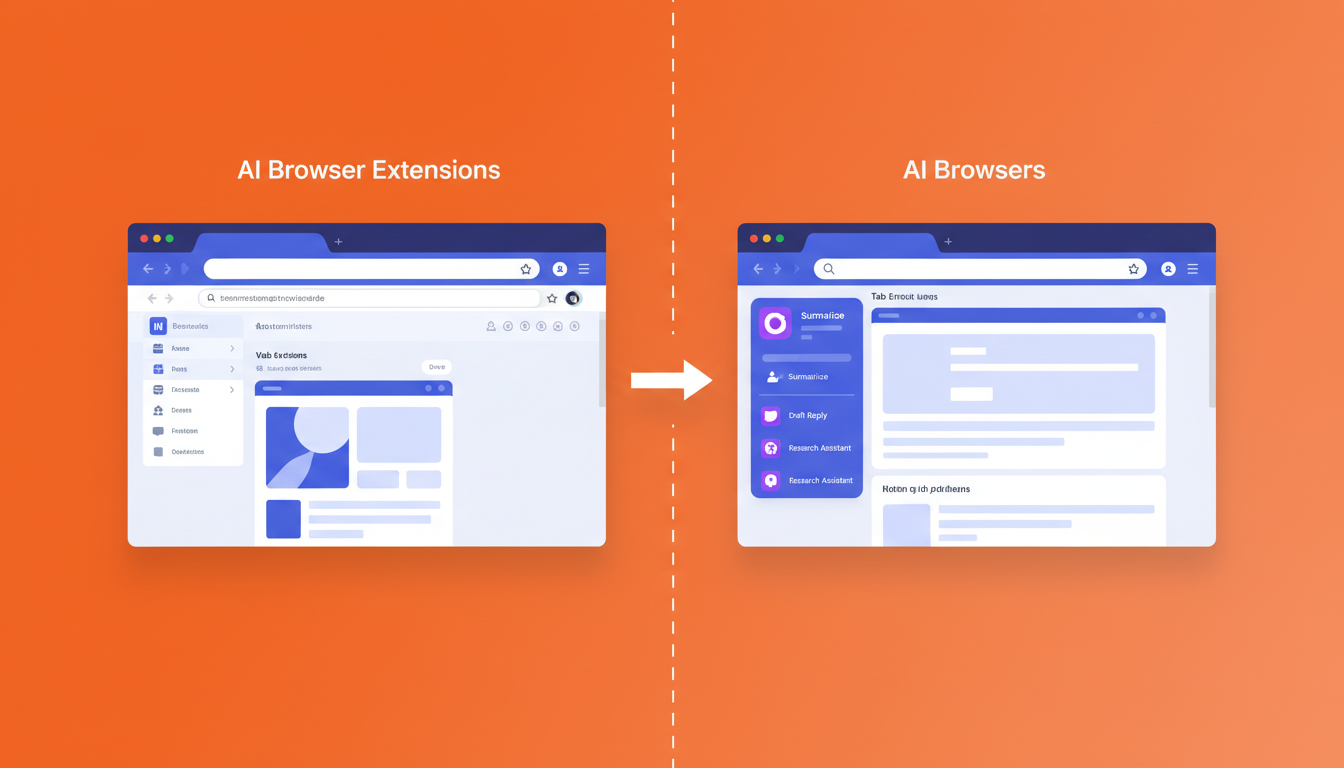
AI browsers like Arc, Brave (with built-in Leo AI), and Opera (with Aria AI) bundle AI features into a completely new browsing environment. Switching requires migrating from Chrome, Edge, or Firefox and leaving behind saved passwords, organized bookmarks, and installed extensions. IT teams often need weeks for security reviews before approving new browsers.
Browser extensions skip this friction. They integrate into your current browser, appearing only when needed. Your logins, bookmarks, and existing workflows remain untouched. No security approval process, no workspace rebuild.
Extensions can't redesign the entire browser interface, but they deliver AI automation directly into the tools you already use daily without forcing a migration.
The Privacy and Security Risks You Need to Know
The real privacy risk with browser extensions isn't what they can access—it's what they do with your data. 52% of AI-branded Chrome extensions collect user data, and 29% collect personally identifiable information according to Incogni's February 2026 analysis of 442 AI extensions.
Data collection practices vary widely between extensions. Some process everything locally on your device. Others route your browsing data through third-party servers with vague privacy policies and indefinite retention periods.
Malicious extensions disguise themselves as productivity tools, rack up positive reviews through fake accounts, then update silently to inject ads or steal credentials.
Before installing any AI extension, read its privacy policy to understand data retention practices, verify the developer's track record, and check whether data processing happens locally or on remote servers. Extensions with zero data retention policies and local processing pose less risk than those storing your activity indefinitely.
Understanding Browser Extension Permissions
Browser extensions display their requested permissions before installation. Click "Details" on any Chrome Web Store listing to see the full list and understand what each extension needs to function.
"Read and change all your data on websites you visit" is the permission that enables automation. Extensions that execute multi-step workflows, interact with forms, or work across different websites need this access to see page content and perform actions on your behalf. This is how automation extensions like Composite and Bardeen can click buttons, fill forms, and navigate between sites.
"Display notifications" and "Manage your downloads" access specific browser functions. "Read your browsing history" allows extensions to see URLs you've visited, which some productivity tools use to suggest relevant actions based on your work patterns.
Rather than avoiding extensions with broad permissions, focus on how they handle your data. Check the extension's privacy policy to understand whether processing happens locally on your device or on remote servers, what data gets retained, and how long it's stored. Extensions with local processing and zero retention policies handle sensitive information differently than those storing your activity in the cloud.
Review when the extension last updated and read recent reviews. Extensions that suddenly request new permissions after an update may signal changes in how they monetize or handle data.
The 10 Best AI Browser Extensions for 2026
Extension | Primary Function | Pricing | Best For | Privacy Model |
|---|---|---|---|---|
Merlin | Research & AI Chat | Free / $19/mo | Multi-model access, quick queries | Cloud-based |
Monica | All-in-one AI Assistant | Free / $9.99/mo | Chat, writing, summarization | Cloud-based |
Bardeen | Automation | Free / $10/mo | Multi-step workflows, CRM sync | Cloud-based |
Grammarly | Writing | Free / $12/mo | Grammar, tone, clarity | Cloud-based |
Wordtune | Writing | Free / $9.99/mo | Sentence rewriting, tone adjustment | Cloud-based |
QuillBot | Paraphrasing & Writing | Free / $8.33/mo | Content rewriting, summarization | Cloud-based |
Compose AI | Writing | Free / $10/mo | Sentence autocompletion | Cloud-based |
ChatGPT for Chrome | AI Chat & Writing | Free | Quick AI queries without leaving browser | Cloud-based |
Wiseone | Research & Reading | Free / $8/mo | Article summarization and fact-checking | Cloud-based |
Composite | Automation | Free / $20/mo | Complex multi-site workflows | Local execution, zero data retention by AI subvendors |
Research and Knowledge Tools
Monica serves as an all-in-one AI assistant with chat, writing, summarization, and PDF analysis capabilities. The free plan includes daily queries across multiple AI models, while the $9.99/month Pro plan unlocks unlimited access. Monica integrates directly into text fields across websites and includes a sidebar for longer research sessions.
Browser Automation
Bardeen automates repetitive workflows across websites without coding. Connect your CRM to LinkedIn, scrape meeting notes into Notion, or pull job postings into spreadsheets. Ideal for recruiters and sales teams running the same multi-step processes daily.
Writing and Communication
Grammarly catches grammar errors and suggests tone adjustments across email, Slack, and Google Docs. The free version handles basic corrections, while the $12/month premium plan adds clarity rewrites, tone detection, and plagiarism checking.
Wordtune rewrites sentences with multiple alternatives, adjusting tone from casual to formal. The free plan offers 10 rewrites per day, while the $9.99/month Premium plan provides unlimited rewrites and tone customization across any text field.
QuillBot specializes in paraphrasing and summarization. The free tier allows limited paraphrasing and summarization, while the $8.33/month Premium plan unlocks unlimited paraphrasing modes, faster processing, and advanced grammar checking.
Compose AI autocompletes sentences as you type, learning your writing patterns to speed up email drafts and documentation. The free version covers basic autocompletion, while the $10/month premium plan adds personalization and advanced suggestions.
Browser Extension Best Practices for Knowledge Workers
Create separate browser profiles for work and personal browsing. This isolates professional data from personal extensions and limits damage if one extension becomes compromised.
Review your installed extensions periodically and remove tools you haven't used in 30 days. Knowledge workers average 15 installed extensions but actively use fewer than six. When evaluating which extensions to keep, prioritize understanding their data handling practices. Check whether they process data locally on your device or route information through cloud servers, what they retain, and for how long.
For enterprise environments, check whether extensions meet your company's data residency requirements. Extensions that process data locally avoid the compliance hurdles of cloud-based tools that route information through third-party servers. IT teams can review local-execution extensions faster than those requiring server access approvals.
Avoid installing multiple extensions that overlap in function. Three different writing assistants slow page loads without adding value.
How Composite Brings AI Browser Automation to Professional Workflows
Composite runs inside Chrome, Edge, or Brave without requiring a switch. Invoke it with Cmd/Ctrl + Shift + Space on any page, describe a task in plain English, and watch the agent execute click sequences across your SaaS stack.
The extension executes tasks locally in your browser using your logged-in sessions. Our zero data retention policy with all of our AI subvendors means no workflow data gets stored or transmitted by them, and we're SOC-2 Type 2 compliant for enterprise-grade security. This local execution architecture lets IT teams approve Composite faster than cloud-based agents routing data through third-party infrastructure.
Composite routes tasks to the best-fit model for each job. Simple actions run on fast open-source models, while complex multi-site workflows tap larger vision models when needed. You get speed without sacrificing intelligence.
The extension learns your work patterns and suggests tasks before you ask. Copying weekly sales data into your CRM becomes a one-click action. Drafting follow-up emails from meeting notes happens proactively.
Final Thoughts on Using AI Browser Extensions
The best AI extension for Chrome is the one that removes friction from work you're already doing. Check permissions before installing, audit what's running every few months, and delete tools that sit unused. You'll spend less time on busywork and more time on what actually matters.
FAQ
How do I check if an AI browser extension is safe before installing it?
Review the extension's privacy policy to understand data retention practices, verify the developer's track record, and check whether data processing happens locally or on remote servers. Extensions with zero data retention policies and local processing pose less risk than those storing your activity indefinitely. Read recent reviews and check when the extension last updated.
What's the main difference between AI browser extensions and AI browsers?
AI browsers like Arc, Brave (with Leo AI), and Opera (with Aria AI) require switching from Chrome or Edge entirely, abandoning your saved passwords, bookmarks, and existing extensions. AI browser extensions install into your current browser, preserving your workflow and logins without requiring IT approval or workspace migration.
Can AI browser extensions access my passwords and financial information?
Extensions with broad permissions can technically read webpage content, but the real risk depends on what they do with your data. Extensions processing data locally on your device reduce this risk compared to tools routing information through third-party servers. Check the extension's privacy policy to understand whether processing happens locally or on remote servers, what data gets retained, and how long it's stored.
How does Composite handle my work data and browsing information?
Composite processes tasks locally on your device using your logged-in browser sessions. Our zero data retention policy with all of our AI subvendors means they don't store or retain workflow data, making IT approval faster than cloud-based agents routing information through external infrastructure.
When should I use separate browser profiles for extensions?
Create separate work and personal browser profiles immediately. This isolates professional data from personal extensions and limits damage if one extension becomes compromised. Knowledge workers install an average of 15 extensions but actively use fewer than six, making profile separation a simple way to reduce security gaps.