The 10 Best Web Scraper Chrome Extensions in March 2026
You've probably tried a free web scraper Chrome extension that worked perfectly on one site, then returned empty cells the next week after a redesign. That's the tradeoff with browser extensions - they're fast to set up but fragile when websites change their structure. This guide covers the 10 most reliable options for 2026, focusing on which ones handle JavaScript-loaded content, pagination, and authentication without breaking every time a site updates its CSS classes.
TLDR:
- Chrome scraper extensions extract web data into spreadsheets in seconds without coding
- Free tiers cap at 500-10,000 rows monthly; paid plans start at $10-$50 for scheduling
- Extensions break when sites change HTML and can't chain actions across multiple tools
- Composite automates multi-site workflows locally in your browser with plain English commands
- Composite chains scraping with CRM checks and outreach drafting across your existing tabs
What Is a Web Scraper Chrome Extension
A web scraper Chrome extension is a browser add-on that extracts structured data from websites and exports it into formats like spreadsheets, CSV files, or JSON. Instead of manually copying information cell by cell, you can point the extension at the data you need and pull hundreds or thousands of rows in seconds.
These extensions live directly in your browser. When you activate one, it reads the HTML structure of a page, identifies patterns in the data, and collects specific information based on rules you set or elements you select. No coding required.
Web scrapers turn tedious data collection into a one-click task. If you've ever copy-pasted product prices from an ecommerce site into Excel, or manually built lists of company contacts from LinkedIn search results, you've done the work that a scraper automates.
Why Use a Chrome Extension for Web Scraping
Chrome extensions solve the setup problem. You add them to your browser in seconds without installing software, configuring Python environments, or waiting for IT approval. They work inside your existing browser sessions, accessing authenticated pages without API keys or OAuth flows.
The extensions run locally in your browser tab. For ad hoc research or one-time scraping jobs, they're the quickest route from question to answer. No code required, no API documentation to read, no dedicated scraping applications to learn. Point, click, export.
How Web Scraper Chrome Extensions Work

When you load a webpage, your browser builds a Document Object Model (DOM), a structured tree of every element on that page. Web scraper extensions read this DOM to identify where data lives.
You start by selecting an element. Click a product title, a price, or a company name. The extension analyzes that element's position in the DOM and looks for siblings with identical or similar structures. If you select one product card, it finds all product cards.
The extension then extracts text, links, images, or attributes from each matched element. Behind the scenes, it's running JavaScript that queries the DOM using selectors like CSS paths or XPath expressions, similar to browser automation tools used for web testing.
Once the data is collected, the extension formats it into rows and columns. You download a CSV, copy it to your clipboard, or push it directly into Google Sheets.
Key Features to Look for in a Web Scraper Extension
Point-and-click selection matters more than power user features. If you need a tutorial just to extract a table, the tool will slow you down. Look for visual selectors that let you click elements directly instead of writing CSS selectors or XPath queries.
Export flexibility determines how fast you can act on scraped data. CSV and Excel are table stakes. Google Sheets integration saves time if you're building dashboards or sharing lists with teammates. JSON matters if you're feeding data into other tools or scripts.
Support for JavaScript-loaded content separates basic scrapers from functional ones. Many sites load data through JavaScript after the initial page render. Extensions that only read static HTML will return empty cells. Check whether the extension waits for content to load or lets you configure delays.
Scheduling turns scraping from a manual task into a recurring workflow. If you're tracking competitor prices daily or refreshing contact lists weekly, built-in scheduling beats remembering to run the scraper yourself.
Pagination handling is the difference between 20 rows and 2,000. The best extensions automatically click "Next" and aggregate results across multiple pages without manual intervention.
Extension | Best For | Free Tier Limit | Starting Price | Key Features |
|---|---|---|---|---|
Web Scraper | Ecommerce price monitoring and product catalog extraction | Basic scraping included | $50/month | Visual point-and-click interface, sitemap creation, cloud scrapers, scheduling |
Instant Data Scraper | Quick ad hoc research tasks without setup overhead | Unlimited (no account required) | Free | Auto-detects data patterns, one-click extraction for tables and lists |
Data Miner | Recruiters and sales teams building lead lists | 500 rows per month | $19/month | Pre-built recipes for LinkedIn, Google Maps, Amazon, public recipe library |
Octoparse | Market research across JavaScript-heavy sites and social networks | 10,000 rows | Paid tier required | Handles JavaScript-heavy sites, infinite scroll, cloud execution, API access |
ParseHub | Agencies running client scraping projects | Five public projects | $189/month | Visual editor with conditional logic, complex workflow support, private projects |
Scraper | Analysts needing quick data pulls without configuration | Unlimited | Free | Minimalist interface, copies to clipboard or Google Sheets, simple table extraction |
SimpleScraper | Marketing teams feeding scraped data into CRMs automatically | Five scrapers | $34/month | No-code interface, webhook support, integrations with CRMs and spreadsheets |
Bardeen | Operations teams connecting scraped data with multiple tools | Basic scraping included | $10/month | Combines scraping with workflow automation, integrates with Notion, Airtable, Slack |
DataGrab | BDRs building prospecting lists from business directories | Free trial | $29/month | Extracts contact information and social profiles from business directories |
Hunter | Teams running outbound campaigns | 25 searches per month | $49/month | Email finder and verifier, scrapes contact information, validates emails |
The 10 Best Web Scraper Chrome Extensions in 2026
1. Web Scraper (webscraper.io)
Visual point-and-click interface with sitemap creation. Free tier handles basic scraping. Cloud scrapers and scheduling require paid plans starting at $50/month. Works well for ecommerce price monitoring and product catalog extraction.
2. Instant Data Scraper
Auto-detects data patterns on pages without manual configuration. One-click extraction for tables and lists. Free with no account required. Best for quick ad hoc research tasks where you need data once and don't want setup overhead.
3. Data Miner
Pre-built recipes for LinkedIn, Google Maps, and Amazon scraping. Public recipe library saves setup time. Free tier limited to 500 rows per month. Paid plans start at $19/month. Recruiters and sales teams use it for lead list building, alongside other automation tools for recruiters.
4. Octoparse
Handles JavaScript-heavy sites and infinite scroll. Free plan scrapes up to 10,000 rows. Cloud execution and API access require paid tiers. Strong choice for market research across sites that load content with JavaScript like social networks.
5. ParseHub
Visual editor with conditional logic for complex scraping workflows. Free tier includes five public projects. Paid plans start at $189/month for private projects and faster execution. Best for agencies running client scraping projects.
6. Scraper
Minimalist extension that copies scraped data directly to clipboard or Google Sheets. Completely free. Limited to simple table extraction. Good for analysts who need quick data pulls without configuration.
7. SimpleScraper
No-code interface with webhook support for sending data to other tools. Free tier allows five scrapers. Paid plans start at $34/month. Marketing teams use it to feed scraped data into CRMs and spreadsheets automatically.
8. Bardeen
Combines scraping with workflow automation across multiple tools. Free tier includes basic scraping. Paid plans start at $10/month for advanced features. Operations teams use it to connect scraped data with Notion, Airtable, and Slack.
9. DataGrab
Browser extension that extracts contact information and social profiles from business directories. Free trial, then $29/month. Focused use case for BDRs building prospecting lists.
10. Hunter
Email finder and verifier that scrapes contact information from company websites. The web scraping market continues growing as demand for contact data and competitive intelligence increases. Free tier includes 25 searches per month. Plans start at $49/month for teams running outbound campaigns.
Free vs. Paid Web Scraper Chrome Extensions
Free extensions cap monthly extractions between 500 and 10,000 rows. If you're scraping once a week for research, free tiers work fine. Daily price monitoring or large-scale lead generation will hit limits quickly.
Paid plans unlock scheduling, cloud execution, and API access, though solutions like Composite offer a different approach to browser task automation. Chrome holds 65% of browser market share, making extensions accessible to most teams, but recurring scraping jobs need the automation features gated behind subscriptions starting at $10 to $50 monthly.
Support separates tiers too. Free users get community forums. Paid subscribers get priority responses and dedicated account managers at enterprise levels.
Legal and Ethical Considerations for Web Scraping
Scraping carries legal risk when done carelessly. Robots.txt files tell crawlers which parts of a site are off-limits. Ignoring these directives can violate the Computer Fraud and Abuse Act in the US or similar laws elsewhere.
Terms of service create contractual obligations. Many sites explicitly prohibit automated data collection. Violating these terms can trigger lawsuits or account bans. Read them before scraping.
GDPR and privacy laws govern personal data collection. Scraping names, emails, or contact information from EU residents requires legal basis and proper handling. Penalties reach millions of dollars for violations.
Responsible scraping respects site rules, throttles requests to avoid server strain, and collects only publicly available non-personal data. Aggressive scraping that bypasses access controls or harvests protected information exposes your organization to liability.
Common Use Cases for Web Scraper Chrome Extensions
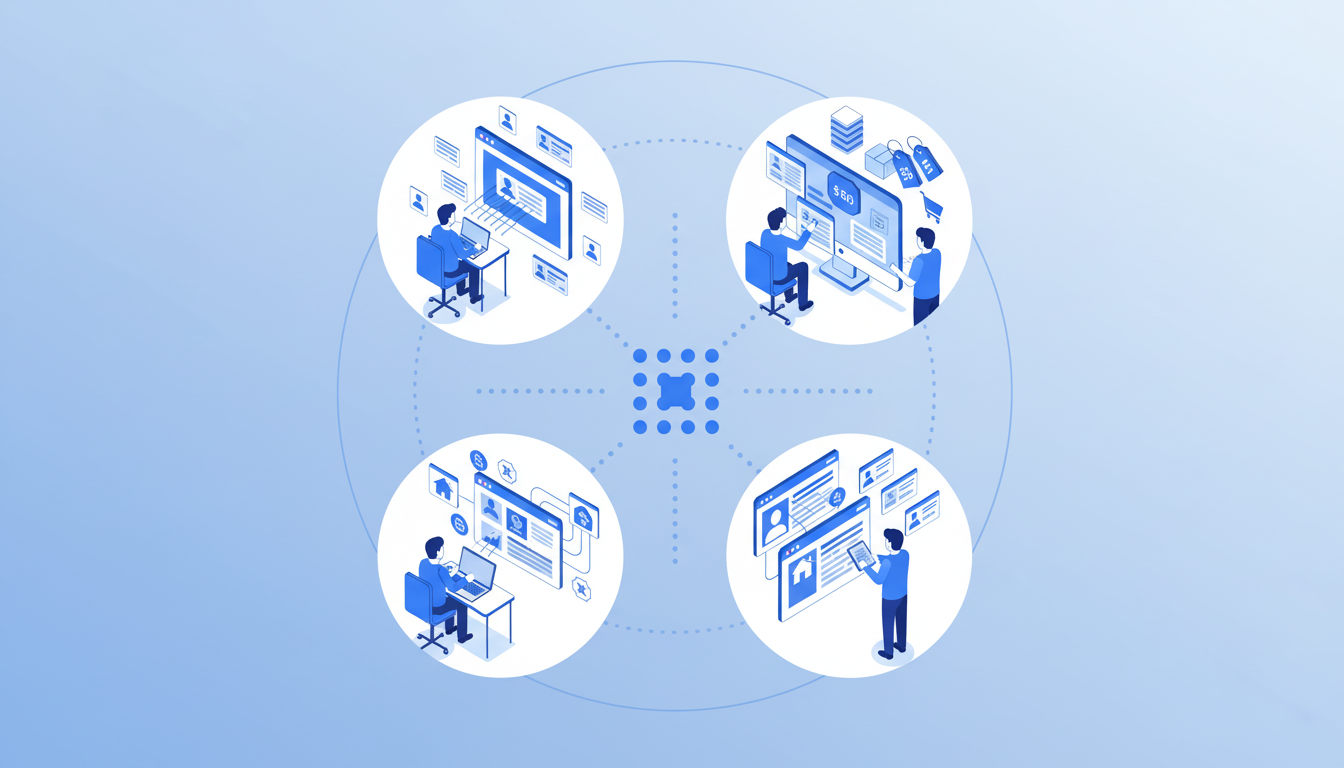
Sales teams scrape LinkedIn search results to build prospecting lists, extracting hundreds of contacts from filtered searches instead of manual copying. The data exports to CSV for CRM import or email sequencing tools.
Recruiters pull candidate profiles from job boards, GitHub, or industry directories. They scrape entire result sets and filter in spreadsheets for faster shortlisting and higher outreach volume.
Ecommerce operations teams track competitor pricing across product catalogs. Daily scrapes capture price changes on hundreds of SKUs, triggering alerts to adjust pricing before losing sales.
Marketing analysts aggregate content for competitive research, scraping blog titles, publication dates, and engagement metrics to identify trending topics and content gaps that feed editorial calendars.
Real estate professionals extract property listings with prices, locations, and square footage for market research that feeds valuation models and investment analyses.
Limitations of Web Scraper Chrome Extensions
Chrome extensions break when sites change their HTML structure. A scraper that worked perfectly last week returns empty cells today because the site redesigned a product card or renamed a CSS class. You rebuild selectors manually each time.
JavaScript-heavy sites that load content asynchronously create timing problems. Extensions often scrape before data finishes loading, missing critical information or capturing placeholder text instead of real values.
Volume hits limits fast. Most extensions can't handle tens of thousands of rows without browser crashes or memory errors. Running multiple scraping jobs simultaneously freezes tabs or triggers rate limiting from target sites.
Authentication adds friction. Extensions work within your logged-in browser session, but session timeouts force manual re-login mid-scrape. No programmatic credential refresh exists.
Human oversight stays required. Every scrape needs spot-checking for missing data, formatting errors, or incomplete pagination.
When to Move Beyond Chrome Extension Scrapers
Extensions work until you need scraped data flowing directly into other tools. When you're exporting from your browser and importing into CRMs, project trackers, or email sequences, manual file transfers consume the time you saved scraping.
Multi-site workflows hit another limit. Scraping LinkedIn for prospects, then pulling website contact details, then checking your customer database requires three separate jobs with manual data merging. Extensions can't chain actions across sites or determine which data matters.
Browser-locking execution becomes a problem at scale. Extensions freeze your tab while running, preventing other work. You can't start a 500-row scrape and switch tasks.
The breaking point arrives when scraping becomes routine. Pulling competitor pricing every Monday, refreshing contact lists before campaigns, or researching accounts after sales calls means you need proactive automation instead of manually launching each scrape.
How Composite Takes Browser Automation Beyond Traditional Scraping
Composite treats your browser like an AI-powered assistant, not a single-task extraction tool. You hit Cmd/Ctrl + Shift + Space on any website, describe what you need in plain English, and the agent plans and executes multi-step workflows across your entire tab ecosystem, bringing AI-powered browser capabilities directly to your workflow.
Where web scraper extensions stop at pulling data into spreadsheets, Composite chains the entire workflow: scrape LinkedIn for prospects, cross-reference your CRM to filter existing contacts, pull company details from websites, and draft personalized outreach emails using your existing templates. All in one thread, no manual handoffs between tools.
The extension executes locally in your existing Chrome, Edge, or Brave browser with zero data retention by AI subvendors and SOC-2 Type 2 compliance. Download Composite to get started. You're working within your logged-in sessions without re-authentication or API setup.
Composite learns your repetitive patterns and suggests tasks proactively, functioning as one of the best proactive AI assistants for browser work. Instead of remembering to scrape competitor pricing every Monday, Composite detects the routine and offers to handle it before you type.
Final Thoughts on Automated Data Extraction Tools
A web scraper extension gives you fast access to website data without coding or setup complexity. You click elements, export spreadsheets, and move on with your day. The breaking point arrives when your scraped data needs to trigger actions in other tools or combine with information from multiple sources. Those manual handoffs between scraping and doing something useful with the results consume the time you saved collecting data in the first place.
FAQ
How do web scraper Chrome extensions handle sites that load data with JavaScript?
Some extensions only read static HTML and miss content loaded by JavaScript, returning empty cells. Better extensions wait for JavaScript to finish loading or let you configure delays to capture data that appears after the initial page load.
Can I scrape data from websites where I'm already logged in?
Yes, Chrome extensions work within your existing browser sessions, accessing authenticated pages without requiring API keys or re-authentication. The extension reads whatever data appears in your logged-in view.
When should I move beyond Chrome extension scrapers?
When scraping becomes routine (weekly price checks, daily lead list refreshes) or when you need data flowing directly into other tools without manual exports and imports. Extensions also break down when you need multi-site workflows that require chaining actions across platforms.
What's the difference between free and paid web scraper extensions?
Free tiers typically cap monthly extractions between 500-10,000 rows and lack scheduling or cloud execution. Paid plans starting at $10-50/month unlock automation features, API access, priority support, and higher volume limits for recurring scraping jobs.
How does Composite handle web scraping differently than traditional extensions?
Composite chains complete workflows across multiple sites in one command: scraping LinkedIn prospects, cross-referencing your CRM, pulling company details, and drafting outreach emails. Instead of stopping at data extraction, it learns repetitive patterns and proactively suggests scraping tasks before you type them.